Retro gaming isn’t usually appealing because people want simpler graphics. Instead, it’s usually about going back to a time when games could be played right away, had clear art direction, and weren’t finished goods that needed patches right away. But it’s not as easy to play Super Nintendo, Sega Genesis, or PlayStation 1 games these days as it used to be.
You will be let down if you pull out a console from your childhood and plug it into a current 4K OLED TV. The picture is most likely going to be a fuzzy, smeared mess.
If you want to get into retro gaming today, you have to choose between two paths: you can either go for the real, physical experience of original hardware, or you can go for the modern ease of digital emulation.
Both ways have huge trade-offs when it comes to cost, setup time, and quality of the image.
The Three Tiers of Retro Gaming
Deciding how to play retro games comes down to how much tolerance you have for troubleshooting and how much you care about input lag. You generally have three options: software emulation, hardware emulation (FPGA), and original hardware.
1. Software Emulation (The Accessible Route)
Software emulation uses modern computer chips to translate older game code on the fly. This is the most popular, affordable, and accessible way to play classic games.
You can run software emulators on your smartphone, a dedicated PC, a modified console like a Nintendo Wii, or a standalone retro handheld.
The Modern Handheld Boom
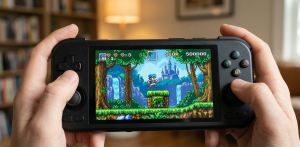
Over the last few years, the market has been flooded with dedicated retro handhelds from companies like Anbernic, Retroid, and Miyoo. Devices like the Miyoo Mini+ or the Retroid Pocket 4 offer incredible value.
For anywhere between $60 and $150, you can buy a device capable of playing everything from the original Game Boy up to the PlayStation 2, complete with high-resolution screens and save-state functionality.
The Trade-offs of Software
The downside to software emulation is input lag and accuracy. Because a software layer is translating the code, there are milliseconds of delay between pressing a button and the character jumping. For role-playing games, this is unnoticeable.
For frame-perfect platformers or fighting games, it can feel “floaty” or slightly off. Furthermore, audio emulation—particularly for complex chips like the Super Nintendo’s SPC700—often sounds noticeably different than original hardware to trained ears.
2. Hardware Emulation (The FPGA Route)
Field-Programmable Gate Arrays (FPGAs) represent the current gold standard for serious retro gamers who want modern convenience.
Instead of software guessing how an old console behaved, an FPGA chip is physically programmed to wire itself to behave exactly like the original silicon of a classic console.
MiSTer and Analogue
The two biggest names here are the MiSTer FPGA project (an open-source, community-driven hardware platform) and Analogue (a company making premium, dedicated FPGA consoles like the Analogue Pocket).
Because an FPGA simulates the hardware at the transistor level, there is zero software overhead. You get cycle-accurate gameplay and zero added input lag.
The Trade-offs of FPGA
Cost and availability are the main hurdles. Building a complete MiSTer setup can cost upward of $400 to $600. Analogue products often sell out in minutes and face months of backorders. It is a premium experience reserved for enthusiasts who can genuinely feel the difference of a few frames of lag.
3. Original Hardware (The Purist Route)
There is an undeniable magic to pushing a physical plastic cartridge into a slot and flipping a heavy power switch. For collectors, playing on original hardware is the only way to go.
Where to Find Original Hardware and Games
Local retro game stores, flea markets, and eBay are the traditional routes. However, prices for North American and European games have skyrocketed over the last decade. A loose copy of a popular RPG can easily run well over $100.
A highly practical alternative is importing from Japan. Platforms like Buyee or Sendico allow you to bid on Yahoo Auctions Japan. Because game preservation and massive print runs were more common in Japan, you can often buy a pristine, boxed Japanese Super Famicom console for less than a heavily yellowed, loose Super Nintendo in the US.
Many Japanese games—particularly action games, platformers, and fighting games require zero Japanese reading comprehension to enjoy.
The Trade-offs of Original Hardware
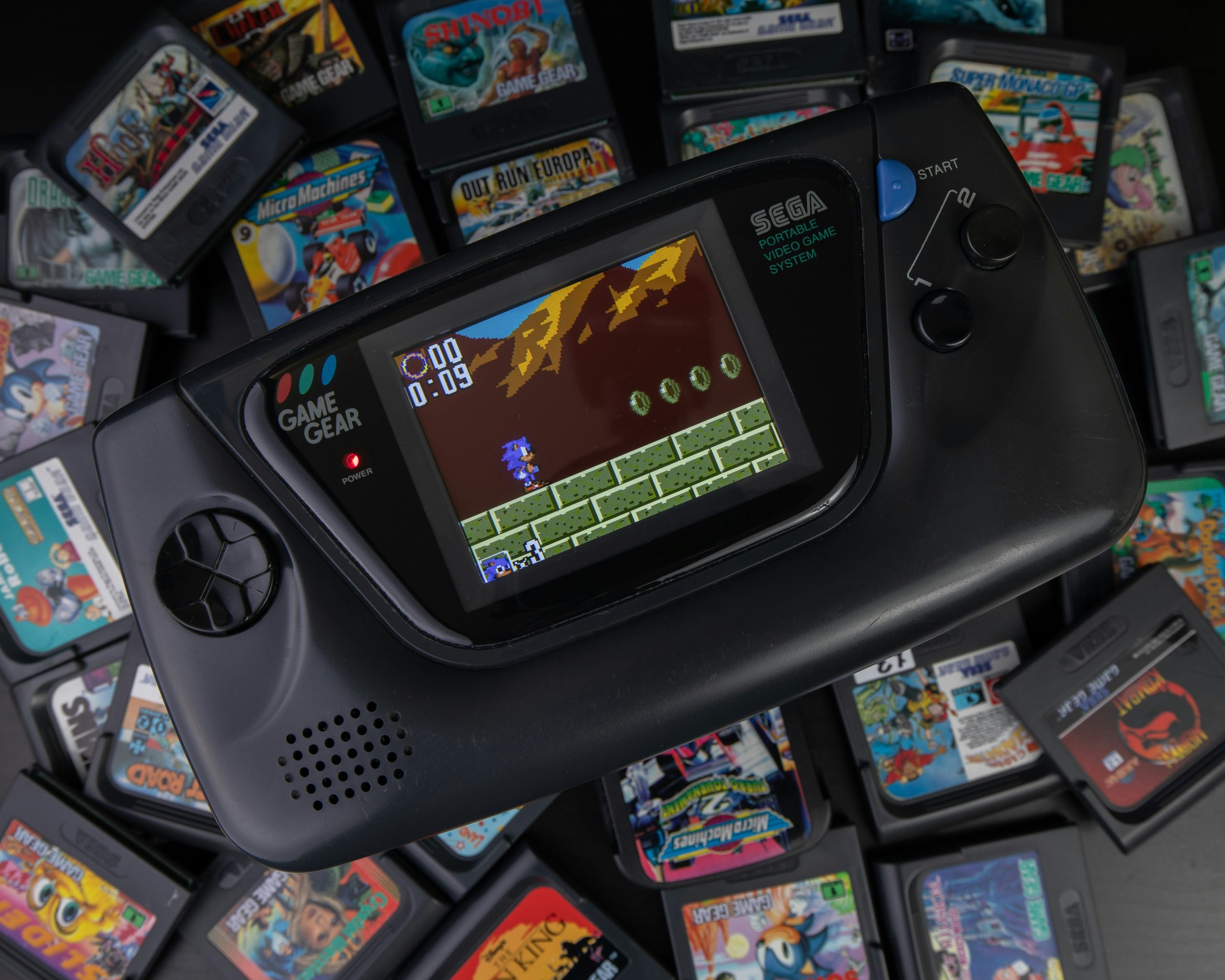
Electronics degrade. Capacitors inside the Sega Game Gear and original Xbox are notorious for leaking acid onto the motherboard and destroying the system. CD-based consoles from the 90s (like the Sega CD or original PlayStation) suffer from dying laser lenses. If you buy original hardware, you must be prepared to learn basic soldering or pay someone to maintain the system.
The Display Dilemma: Playing Old Games on New TVs
If you choose the original hardware route, you immediately face the display problem.
Classic consoles from the 80s and 90s output a video signal called 240p. Modern LCD and OLED televisions do not understand 240p. When you plug an old console directly into a modern TV using the yellow composite cable, the TV treats the signal as 480i (interlaced).
The TV’s internal processor then tries to “de-interlace” the image. This introduces massive visual lag (often half a second of delay) and smears the pixels, making moving objects look like they are vibrating underwater.
How to Fix the Video Issue
1. Sourcing a CRT Television
The cheapest and most authentic fix is to find an old tube TV (CRT). CRTs handle 240p natively. They draw the image with electron guns, meaning there is absolutely zero input lag.
The phosphor glow of a CRT naturally blends the harsh pixels of retro games, creating a specific visual texture that artists originally designed their games around. You can often find heavy, consumer-grade CRTs for free or very cheaply on local classifieds.
2. Modern Upscalers
If you don’t have the space or back strength for a 100-pound CRT, you must buy a dedicated low-latency upscaler.
Devices like the RetroTINK line (ranging from $130 to over $700) or the OSSC (Open Source Scan Converter) take the analog 240p signal, multiply the pixels instantly, and output a clean, lag-free HDMI signal to your modern TV.
Do not buy $15 “AV to HDMI” adapters found on Amazon. These use cheap, generic television chips that introduce the same lag and smearing as plugging the console directly into the TV. For deep dives on console-specific video output, the independent site RetroRGB is the industry standard reference.
Where to Find Classic Games Digitally (and Legally)
If tracking down old cartridges and upscalers sounds exhausting, the modern digital ecosystem provides several excellent alternatives.
PC Distribution (GOG and Steam)
For classic PC games from the DOS and early Windows eras, GOG.com (Good Old Games) is unmatched. They do the hard work of pre-packaging classic games with specialized software (like DOSBox), so they run flawlessly on modern Windows machines, DRM-free.
On Steam, you can frequently find massive, officially licensed collections, such as the Sega Genesis Classics or the Castlevania Anniversary Collection. These bundle the ROMs with a bespoke emulator, offering a legal and easy way to play.
Modern Console Subscriptions
Nintendo Switch Online and PlayStation Plus Premium both offer rotating libraries of classic games.
- The benefit: It requires zero setup and provides cloud saves.
- The downside: You don’t own the games. If a licensing agreement expires, the game vanishes from the service. Furthermore, the emulation quality on these official services is sometimes inferior to what community-built emulators achieve.
Physical Backups
A growing middle-ground is hardware like the Epilogue GB Operator. This small device plugs into your PC via USB and allows you to insert original Game Boy cartridges. You can then play the game on your PC or legally copy the ROM file directly from the cartridge you own to play on a handheld emulator.
Controllers: The Hidden Factor in Game Feel
A common mistake when returning to retro games is using the wrong type of controller. Playing a 2D platformer with the analog stick of an Xbox controller usually results in mistaken diagonal inputs. You need a good Directional Pad (D-pad).
If you are playing via emulation, the controller you choose dictates the experience.
- Bluetooth vs. 2.4GHz: Bluetooth controllers are incredibly convenient, but the Bluetooth protocol inherently adds a few milliseconds of variable input latency. If you are playing fast-paced games, look for controllers that use a dedicated 2.4GHz USB dongle instead.
- Brand Recommendations: 8BitDo manufactures highly regarded modern controllers modeled after classic SNES and Sega Genesis designs. They offer excellent D-pads and models with 2.4GHz connections specifically designed for retro gaming.
A Practical Summary for Decision Making
If you are feeling overwhelmed, use this baseline framework to decide where to start:
| Goal | Best Hardware Approach | Expected Cost | Primary Challenge |
| Play casually on the couch | Mini consoles (SNES Classic) or Switch Online | $20 – $100 | Locked ecosystems, limited game libraries. |
| Play a massive library anywhere | Dedicated Android/Linux Handheld (Retroid, Miyoo) | $60 – $200 | Configuring emulators, organizing files. |
| Perfect modern TV play | Original hardware + RetroTINK upscaler | $300+ | Expensive, requires buying physical games. |
| Zero lag, modern screens | MiSTer FPGA | $400 – $600 | Availability of parts, technical initial setup. |
The Paradox of Choice
A lot of the time, the hardest thing for new retro games isn’t the hardware itself. This is known as the “10,000-in-1” problem.
It takes away a lot from the experience to download a huge folder with every game ever made for a device. You may start a game, play it for two minutes, die once, and then quit to try the next one right away. You don’t get to play games because you have to look through menus.
Putting limits on yourself is the best way to really enjoy old games. You should only put three to five games on your gadget at a time. Make a promise to learn how to play one game, just like you would have when you were a kid and only got a few games a year.